Install plugins
Paper runs Bukkit, Spigot and Paper plugins. Installing one takes a minute.
1. Download the plugin
Get plugins from trusted sites: Hangar, Modrinth or SpigotMC. Check that it supports your Minecraft version.
2. Upload it
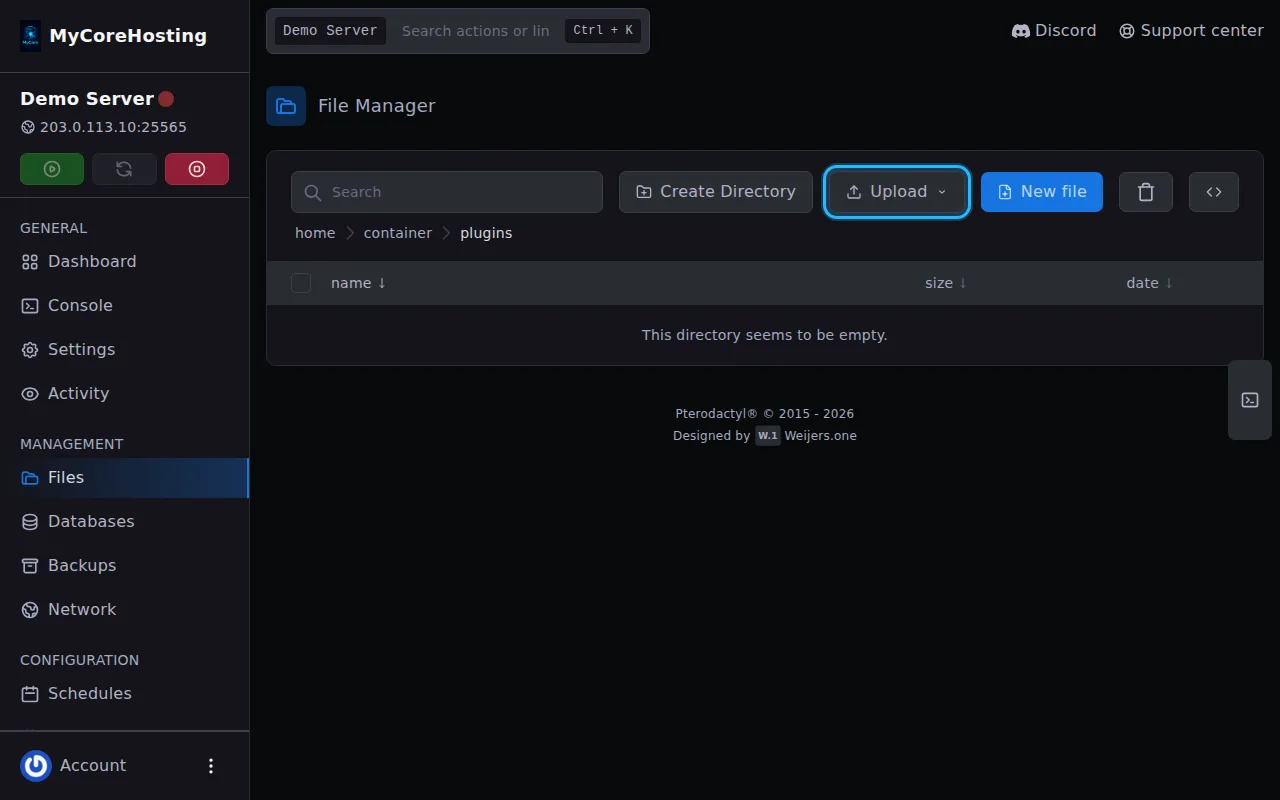
- In the game panel, open Files → plugins.
- Click Upload → Upload Files and pick the
.jarfile. Or use Upload from URL with the plugin's download link. - Restart the server. Don't use
/reload: it breaks many plugins.
After the restart, the plugin makes its own folder in plugins with a config.yml you can edit. Run plugins in the console to check it loaded (green means loaded, red means it failed).
Update or remove a plugin
Stop the server, delete or replace the .jar in plugins, and start again. Deleting the jar keeps the plugin's folder and settings in case you add it back.
Popular plugins to start with
- LuckPerms: permissions and ranks
- EssentialsX: homes, warps, teleport requests, kits
- CoreProtect: logs block changes so you can roll back griefing
- WorldEdit and WorldGuard: building tools and protected areas
- Chunky: pre-generates your world to reduce lag (see Fix lag)
- Geyser and Floodgate: let Bedrock players join (see Crossplay)
- ViaVersion: lets players on newer Minecraft versions join
Plugins like LuckPerms and CoreProtect can store data in your MySQL database. See MySQL databases.
Troubleshooting
- Plugin shows red or doesn't appear: scroll up in the console to the first error mentioning it. The usual cause is the wrong Minecraft version or a missing dependency plugin.
- Server won't start after adding a plugin: remove the newest plugin and start again to confirm it's the cause.
Stuck?
Open a ticket in the client area and tell us what you've tried. We'll point you in the right direction.
Open a ticket